What Is a Visibility Scan?
A visibility scan is how AI Biz Wiz discovers what AI search engines know about your business. During a scan, we query multiple AI platforms—including ChatGPT, Claude, Perplexity, and Gemini—to see how they respond to searches relevant to your business and industry.
The result is a comprehensive picture of your AI search visibility: where you appear, what's being said about you, and what opportunities you're missing.
How Scans Start
Scans in AI Biz Wiz start automatically—there's no button to click.
Your First Scan
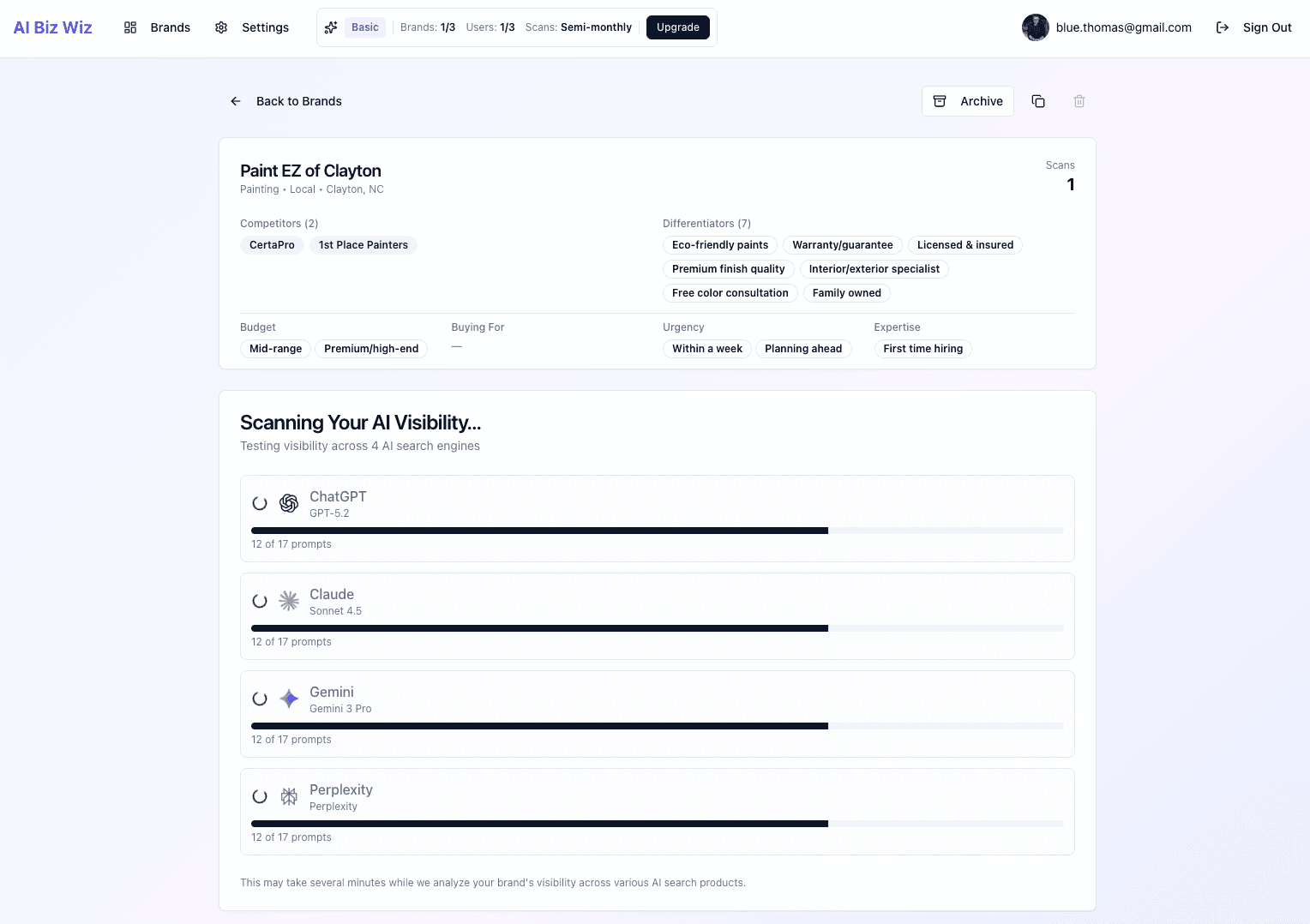
When you create a new brand, your first scan begins immediately. You'll be redirected to your brand's detail page where you can watch the scan progress in real-time.
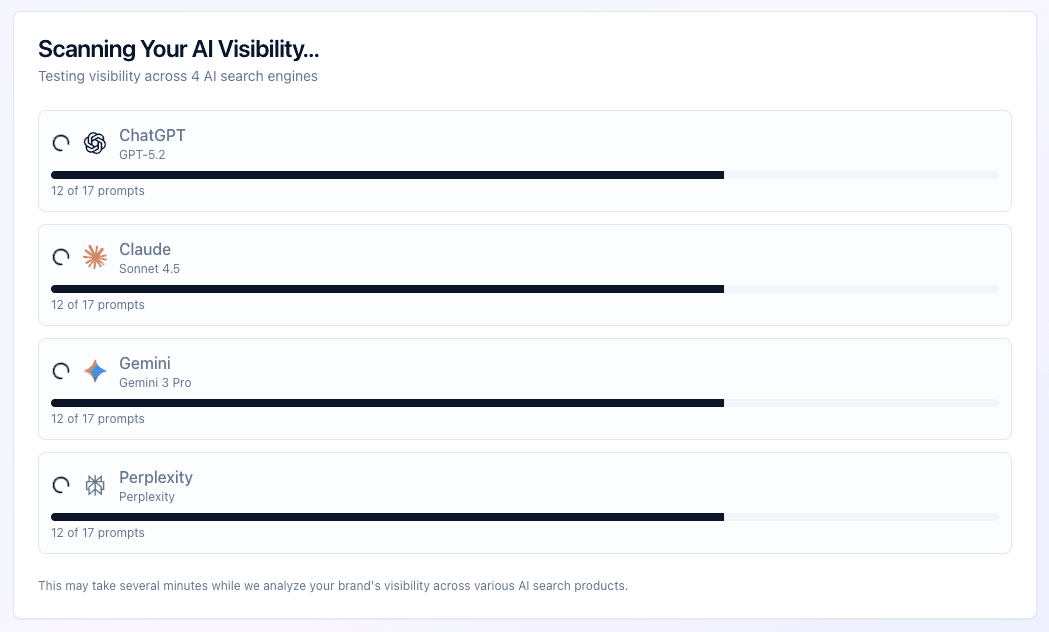 Scan in progress showing real-time status updates
Ongoing Scans
After your first scan, subsequent scans run automatically based on your subscription tier's schedule. You don't need to remember to run scans—AI Biz Wiz handles it for you.
How Long Does a Scan Take?
Scans typically complete within 2-5 minutes, depending on several factors:
- Number of queries: More search queries mean more comprehensive results
- AI platform response times: Different AI platforms respond at different speeds
- Complexity of analysis: Parsing and analyzing responses takes processing time
You don't need to keep the page open—AI Biz Wiz will email you when your scan is complete, and results will be waiting on your brand's detail page.
What Gets Scanned?
AI Biz Wiz generates queries based on your business category, location, differentiators, and competitors. These queries fall into six types, each designed to capture different ways potential customers search:
Direct Queries
Straightforward recommendation searches like "Best plumbers in Austin" or "Top rated Italian restaurants near me." These test whether AI recommends you when someone directly asks for your category.
Problem Queries
Solution-seeking searches where someone describes a problem: "My sink is leaking, who should I call?" or "Need help with my taxes, who do you recommend?" These test whether AI connects your business to the problems you solve.
Comparison Queries
Searches where users are weighing options: "Compare plumbing companies in Austin" or "What are my options for Italian restaurants downtown?" These test whether you appear when customers are evaluating alternatives.
Discovery Queries
Educational research searches: "How to choose a good plumber" or "What to look for in an Italian restaurant." These test whether AI mentions your business in educational content.
Competitor-Anchored Queries
Searches that reference your competitors: "Is [competitor] good?" or "[Competitor] alternatives in Austin." These test whether you appear when someone is researching your competition.
Validation Queries
Decision-validation searches: "Is it worth hiring a professional plumber?" or "Should I go to a restaurant or cook at home?" These test whether AI validates your category and mentions you in the process.
Your Scan Schedule
Scans run automatically based on your subscription tier:
| Tier | Frequency |
|---|---|
| Pro / Enterprise | Weekly |
| Basic | Semi-monthly (twice per month) |
| Free | Monthly |
How Scheduling Works
When you create your first brand, AI Biz Wiz sets your account's scan schedule based on the day of the week. All your brands scan on the same schedule.
For example, if you create your first brand on a Tuesday:
- Pro users: Scans run every Tuesday
- Basic users: Scans run on the 1st and 3rd Tuesday (or 2nd and 4th) of each month
- Free users: Scans run once per month on a Tuesday
New Brands Get Immediate Scans
When you add a new brand to your account, it gets an immediate first scan regardless of your scheduled cadence. This way, you don't have to wait until your next scheduled scan date to see results for a new brand.
After the Scan Completes
Once your scan finishes, you'll receive an email with a summary of your results. You can also view the full results on your brand's detail page:
- Visibility Score: An overall score (0-100) representing how visible your brand is across AI platforms
- Key Metrics: Brand mention rate, average position, and sentiment breakdown
- Detailed Results: Full breakdown of every query, response, and analysis
- Differentiator Coverage: How well AI knows your unique qualities
- Recommendations: Actionable insights based on your results
What's Next?
Now that you understand how scans work, learn how to read and interpret your results in our next tutorial.
How AI Biz Wiz Works: Tutorial Series
- Creating Your First Brand
- Running a Visibility Scan (You are here)
- Analyzing Scan Results
- Tracking Visibility Trends
- Understanding Differentiator Coverage