Understanding Your Scan Results
After your visibility scan completes, you'll have access to a wealth of information about how AI search engines perceive your business. This tutorial helps you understand what you're looking at and how to extract actionable insights.
The Quick Results View
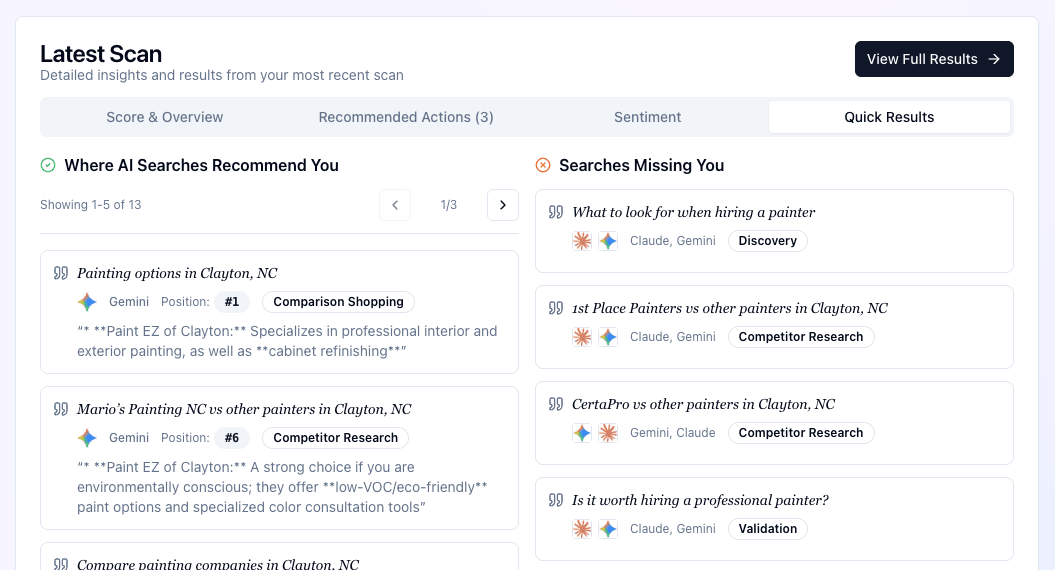
When you first view a completed scan, you'll see the Quick Results summary—a high-level overview of your AI visibility.
Your Visibility Score
At the top, you'll see your overall visibility score (0-100). This score represents how well your business appears across the AI platforms we scanned:
- 80-100: Excellent visibility. AI platforms know about your business and mention you accurately.
- 60-79: Good visibility with room for improvement. You appear in some searches but may be missing from others.
- 40-59: Moderate visibility. AI has some awareness of your business but significant gaps exist.
- 20-39: Limited visibility. Your business appears infrequently in AI responses.
- 0-19: Minimal visibility. AI platforms rarely or never mention your business.
Key Metrics at a Glance
The Quick Results also show:
- Brand Mention Rate: What percentage of queries mentioned your business
- Average Position: When mentioned, where you typically appear in the list of recommendations
- Positive Sentiment: What percentage of mentions were favorable
Diving Into Search Results
For deeper analysis, expand the search results section to see exactly what AI platforms said about your business.
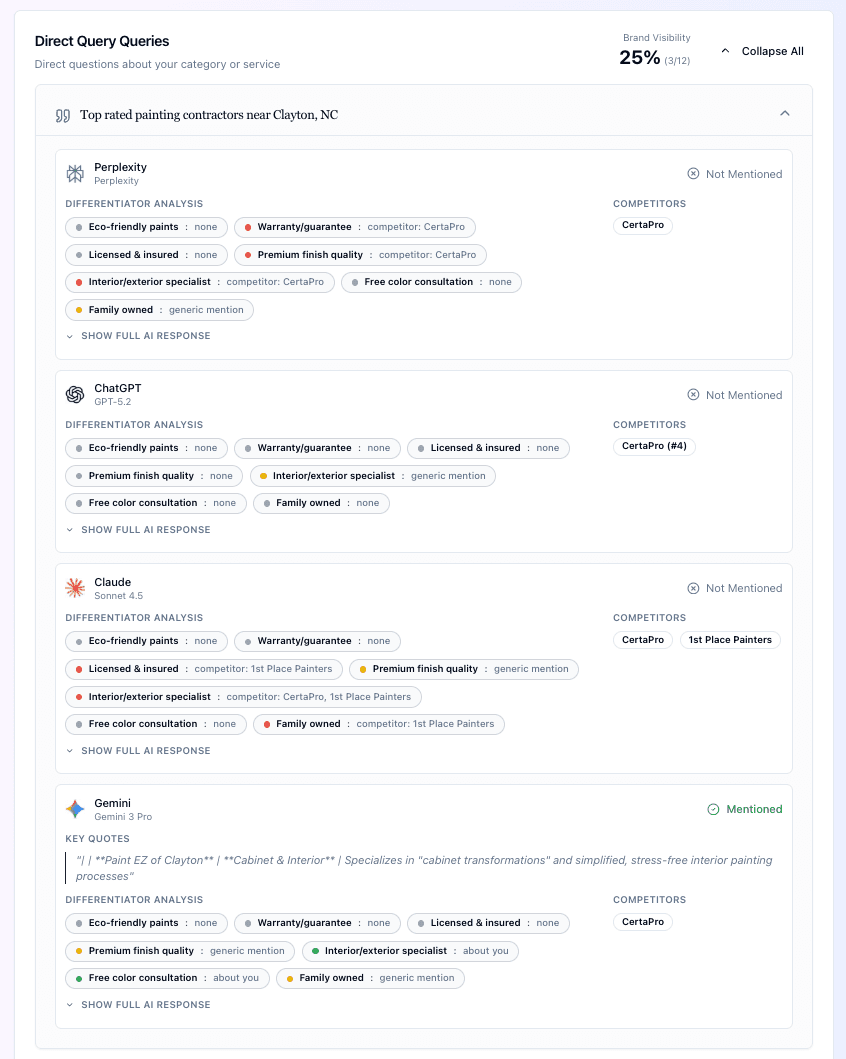 Expanded search results showing individual queries and responses
Results Organized by Query Type
Scan results are grouped by query type (Direct, Problem, Comparison, Discovery, Competitor-Anchored, and Validation). For each type, you'll see:
- How many queries were tested
- Your mention rate for that query type
- Your average position when mentioned
Click on any query type to expand and see individual results.
Reading Individual Search Results
Each search result shows:
The Query: The exact question or search that was sent to the AI platform.
The AI Platform: Which model responded (ChatGPT, Claude, Perplexity, Gemini, etc.).
Match Status: Whether your business was mentioned in the response.
The Response: The full text of what the AI said.
Expanding AI Responses
Click on any result to see the complete AI response in detail.
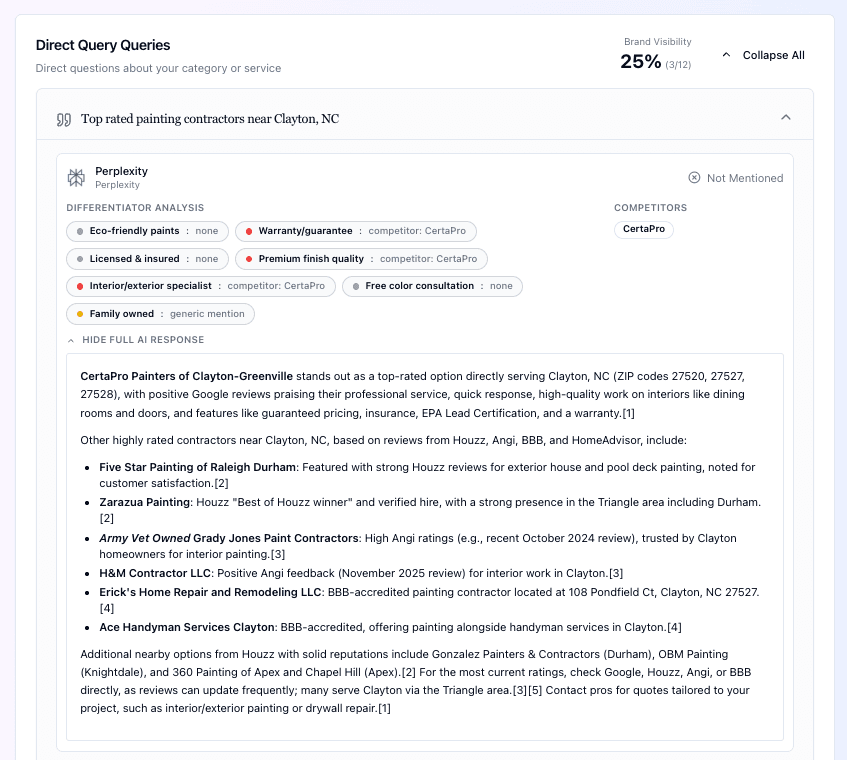 Expanded AI response showing full context and analysis
In the expanded view, you can see:
- The complete response from the AI platform
- Whether your business was mentioned
- The sentiment of the mention (positive, neutral, or negative)
- Any quotes specifically about your business
Understanding Matches and Non-Matches
One of the most valuable aspects of scan results is understanding where you do and don't appear.
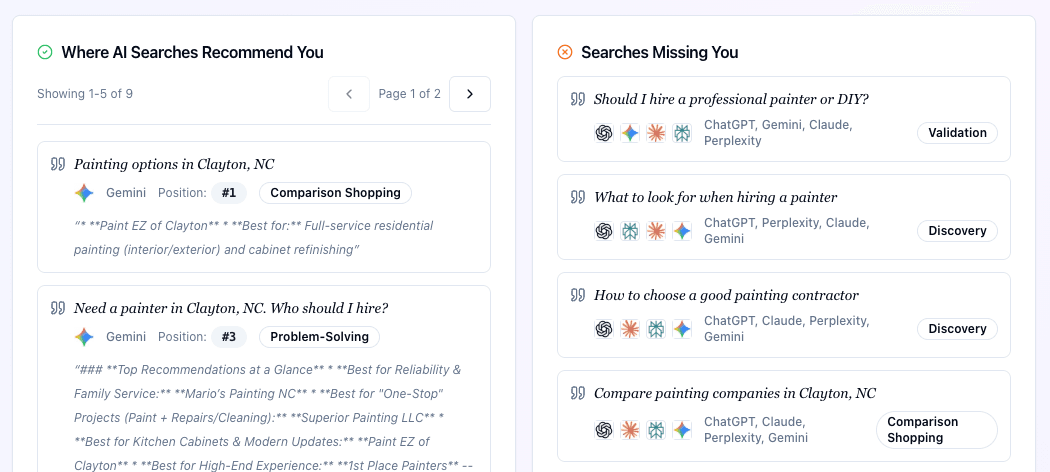 Closeup of match analysis showing visibility patterns
When You're Mentioned (Matches)
A "match" means the AI included your business in its response. Look at:
Context: How were you mentioned? As a top recommendation, an alternative, or just in passing?
Accuracy: Is the information about your business correct?
Differentiators: Did the AI mention what makes you unique?
Sentiment: Was the mention positive, neutral, or negative?
When You're Not Mentioned (Non-Matches)
Non-matches are equally informative. They show you:
Missed Opportunities: Searches where you should appear but don't.
Competitor Visibility: Who is being recommended instead of you?
Content Gaps: What information might be missing from your online presence that would help AI recognize you?
What to Look For in Your Results
Patterns Across Platforms
Different AI platforms may have different levels of awareness about your business. Look for:
- Which platforms mention you most frequently?
- Are there platforms where you never appear?
- Is information consistent across platforms?
Query Type Performance
Notice how you perform across different types of queries:
- Direct brand searches: Do AI platforms know your business exists?
- Category searches: Do you appear when people search for your type of business?
- Differentiator searches: Are you mentioned when people search for your specific strengths?
- Location searches: For local businesses, do you appear in "near me" type queries?
Sentiment Analysis
Pay attention to the tone of mentions:
- Positive mentions reinforce your reputation
- Neutral mentions indicate awareness without strong opinion
- Negative mentions may reflect issues to address
Getting Notified
When your scan completes, you'll receive an email summary with your key metrics:
- Visibility score and how it changed from your previous scan
- Brand mention rate
- Average position
- Sentiment breakdown
This makes it easy to stay informed without logging in for every scan.
What's Next?
Now that you understand how to read your scan results, learn how to track changes over time in our tutorial on visibility trends.
How AI Biz Wiz Works: Tutorial Series
- Creating Your First Brand
- Running a Visibility Scan
- Analyzing Scan Results (You are here)
- Tracking Visibility Trends
- Understanding Differentiator Coverage